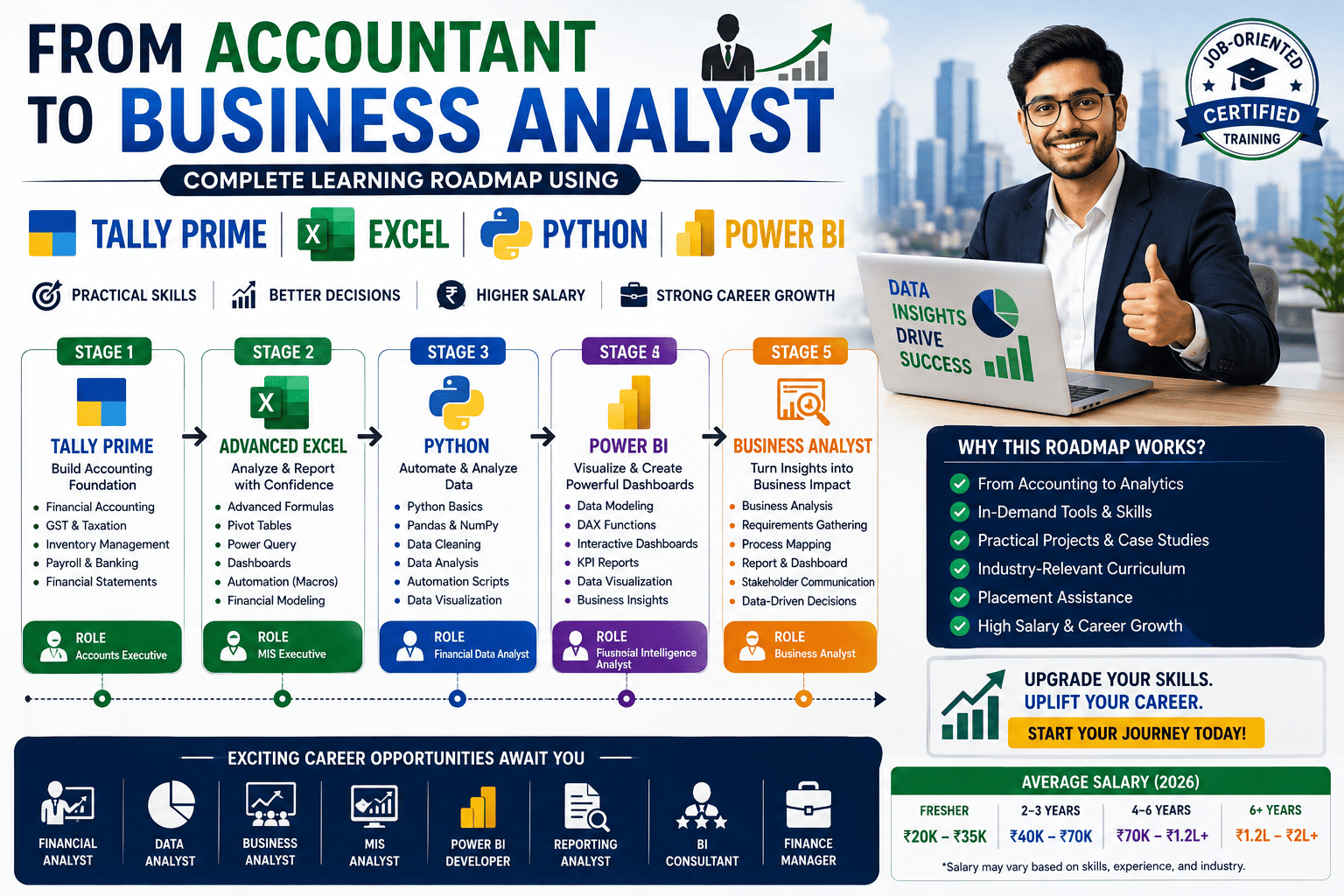

In today’s business world, Microsoft Excel is one of the most important tools used for data management, reporting, calculations, analysis, and business decision-making. While basic Excel helps with simple spreadsheets and calculations, Advanced Excel allows users to manage large datasets, automate tasks, create dashboards, generate reports, and analyze business information efficiently.
Advanced Excel skills are highly valuable for students, accountants, office executives, business owners, finance professionals, and job seekers because almost every industry uses Excel for daily operations.
At Tally Prime Institute in Ahmedabad, students receive practical Advanced Excel training with real-world business applications, reporting techniques, and data analysis projects.
If you are searching for:
- Advanced Excel Course in Ahmedabad
- Excel Training Institute in Ahmedabad
- Advanced Excel Classes Near Me
- Excel Certification Course in Gujarat
- Job-Oriented Excel Training
this complete beginner guide will help you understand Advanced Excel and its career benefits.
What is Advanced Excel?
Advanced Excel refers to powerful Excel tools and features used for:
- Data Analysis
- Business Reporting
- Dashboard Creation
- Financial Calculations
- Data Visualization
- MIS Reporting
- Automation
- Business Intelligence
Advanced Excel helps users work faster, reduce manual effort, and make data-driven decisions.
Why Learn Advanced Excel?
Almost every company uses Excel for:
- Reports
- Accounting
- Data Management
- Inventory Tracking
- Financial Analysis
- Sales Monitoring
Advanced Excel skills help professionals:
- Increase productivity
- Analyze business performance
- Generate reports quickly
- Improve decision-making
- Enhance job opportunities
Many employers actively look for candidates with strong Excel skills because they can manage business data more efficiently.
Important Features of Advanced Excel
1. Advanced Formulas & Functions
Functions help automate calculations and data processing.
Popular Advanced Excel formulas include:
- VLOOKUP
- HLOOKUP
- XLOOKUP
- IF Function
- Nested IF
- SUMIF
- COUNTIF
- INDEX
- MATCH
- TEXT Functions
- DATE Functions
These functions save time and improve accuracy.
2. Pivot Tables
Pivot Tables are one of the most powerful Excel tools.
They help users:
- Summarize data
- Create reports
- Analyze trends
- Compare performance
Businesses use Pivot Tables extensively for management reporting.
3. Charts & Data Visualization
Excel allows users to create visual reports such as:
- Bar Charts
- Pie Charts
- Line Charts
- Column Charts
- Combo Charts
Visual reports make business information easier to understand.
4. Conditional Formatting
Conditional Formatting automatically highlights important data.
Examples include:
- High sales values
- Low stock alerts
- Duplicate records
- Target achievement tracking
This helps users identify critical information quickly.
5. Data Validation
Data Validation improves data accuracy by:
- Restricting invalid entries
- Creating dropdown lists
- Reducing manual errors
Businesses commonly use Data Validation in forms and databases.
6. Dashboard Creation
Dashboards help businesses monitor:
- Sales Performance
- Financial Reports
- Business KPIs
- Employee Performance
- Inventory Status
Dashboard development is one of the most valuable Advanced Excel skills.
7. Sorting & Filtering Data
Advanced Excel helps users:
- Organize large datasets
- Find records quickly
- Analyze information efficiently
Sorting and filtering improve productivity significantly.
8. What-If Analysis
Excel includes forecasting tools such as:
- Goal Seek
- Scenario Manager
- Data Tables
Businesses use these tools for planning and decision-making.
9. Power Query
Power Query helps users:
- Import Data
- Clean Data
- Merge Files
- Transform Information
It reduces manual work and improves reporting accuracy.
10. Macros & Automation
Macros automate repetitive tasks.
Benefits include:
- Faster reporting
- Reduced manual work
- Improved efficiency
- Better productivity
Automation skills are increasingly valuable in modern workplaces.
Who Should Learn Advanced Excel?
Advanced Excel is useful for:
- Students
- Commerce Graduates
- B.Com Students
- M.Com Students
- Accountants
- Data Analysts
- MIS Executives
- Business Owners
- Finance Professionals
- Office Executives
Excel skills are useful across almost every profession.
Career Opportunities After Learning Advanced Excel
Students with Advanced Excel skills can apply for roles such as:
- Data Analyst
- MIS Executive
- Accounts Executive
- Reporting Analyst
- Business Analyst
- Finance Executive
- Operations Executive
- Administrative Executive
Excel remains one of the most demanded skills in corporate jobs.
Industries That Use Advanced Excel
Advanced Excel is widely used in:
- Banking & Finance
- Accounting
- Retail
- Manufacturing
- Healthcare
- Marketing
- Education
- E-Commerce
- IT Companies
Organizations continue depending on Excel for reporting and business analysis.
Common Advanced Excel Projects
Students often create:
- Sales Dashboards
- Financial Reports
- Inventory Management Systems
- Attendance Trackers
- MIS Reports
- Business Analytics Dashboards
Practical projects improve industry readiness.
Why Choose Tally Prime Institute in Ahmedabad?
The institute provides practical Advanced Excel and business reporting training with hands-on learning methods.
Course Features
- Practical Training
- Real-World Projects
- Dashboard Creation
- Data Analysis Techniques
- Business Reporting Skills
- Industry-Oriented Curriculum
- Flexible Batch Timings
- Certification After Completion
- Job Assistance Support
Students gain practical exposure to real business reporting and data management processes.
Future Scope of Advanced Excel
Despite the growth of business intelligence platforms and analytics tools, Excel continues to be one of the most widely used business applications globally.
Advanced Excel remains valuable because:
- Every business uses spreadsheets
- Reporting requirements are increasing
- Data analysis is becoming more important
- Employers actively seek Excel professionals
Learning Advanced Excel can significantly improve career growth opportunities.
Frequently Asked Questions (FAQ)
1. What is Advanced Excel?
Advanced Excel includes powerful tools such as Pivot Tables, dashboards, advanced formulas, automation, reporting, and data analysis features.
2. Is Advanced Excel difficult for beginners?
No. Beginners can learn Advanced Excel step-by-step through practical training and regular practice.
3. Who should learn Advanced Excel?
Students, accountants, analysts, office executives, business owners, and job seekers can benefit from Advanced Excel training.
4. Does Advanced Excel help in getting a job?
Yes. Advanced Excel is one of the most in-demand skills for reporting, accounting, finance, administration, and data-related jobs.
5. What are the most important Advanced Excel topics?
Important topics include Pivot Tables, VLOOKUP, XLOOKUP, dashboards, Power Query, conditional formatting, and automation.
6. Which institute offers Advanced Excel training in Ahmedabad?
Tally Prime Institute in Ahmedabad offers practical Advanced Excel training with real-world projects and certification.